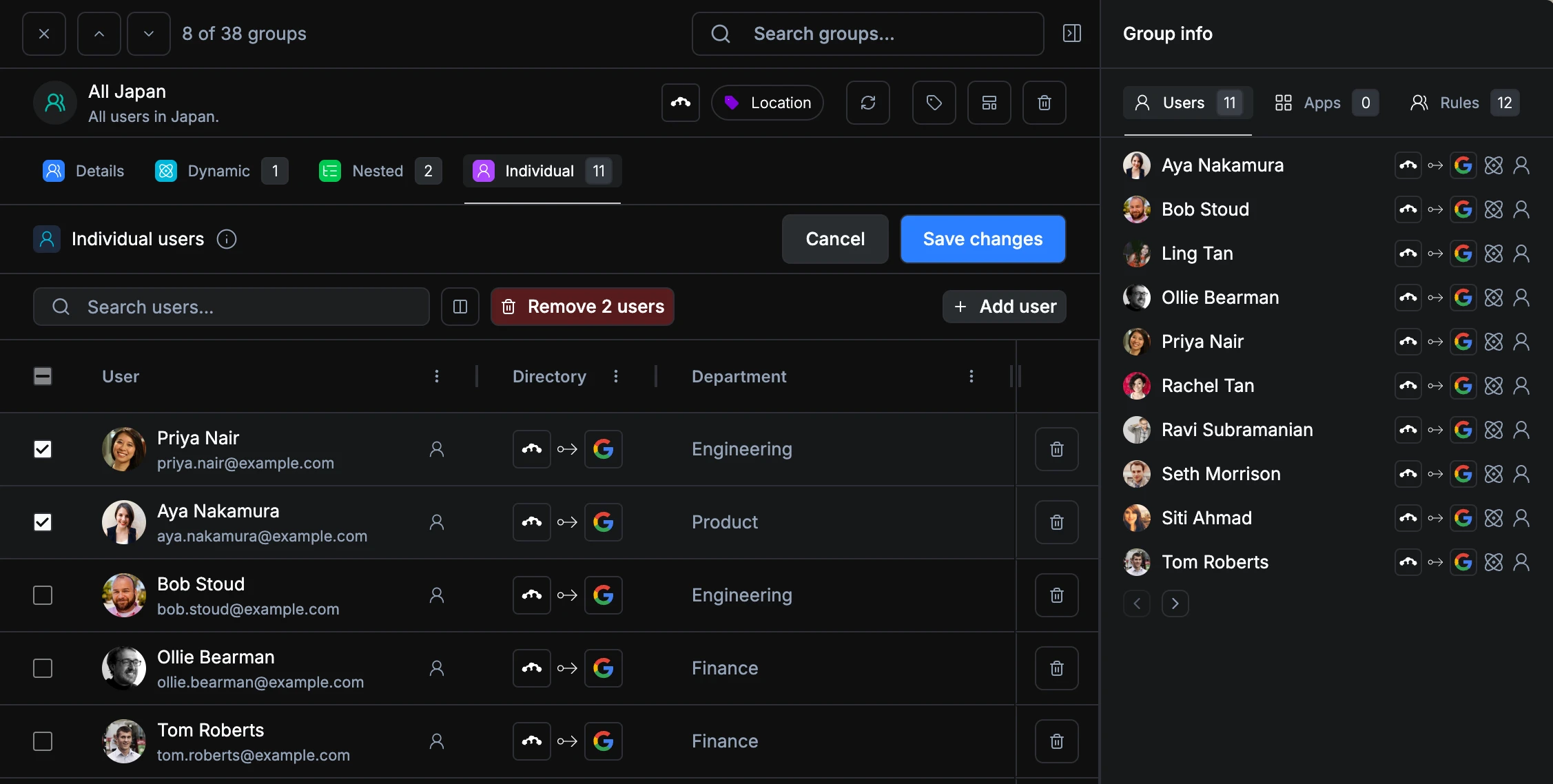
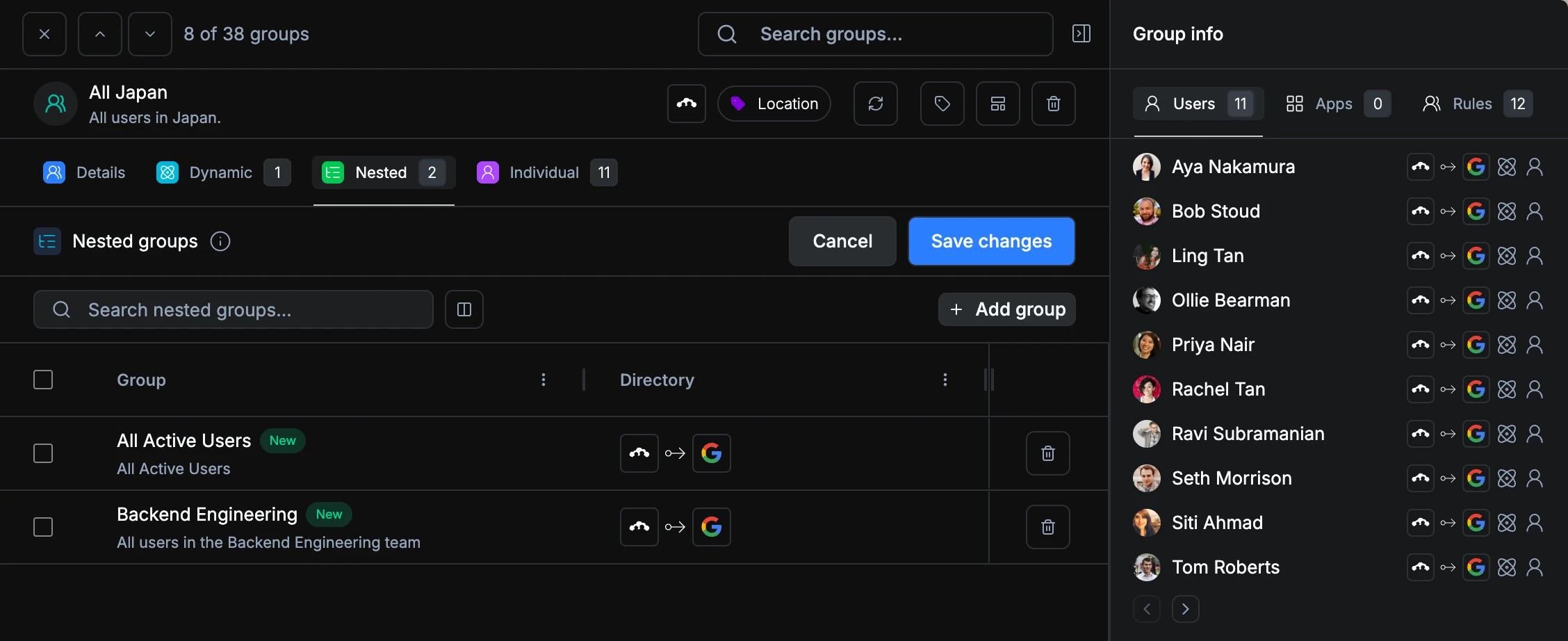
Managing group membership used to mean a lot of clicking. Nested groups and individual users were displayed as separate rows with dropdowns, making it hard to sort, search, or make bulk changes. We’ve completely reworked the group editing experience to fix that.
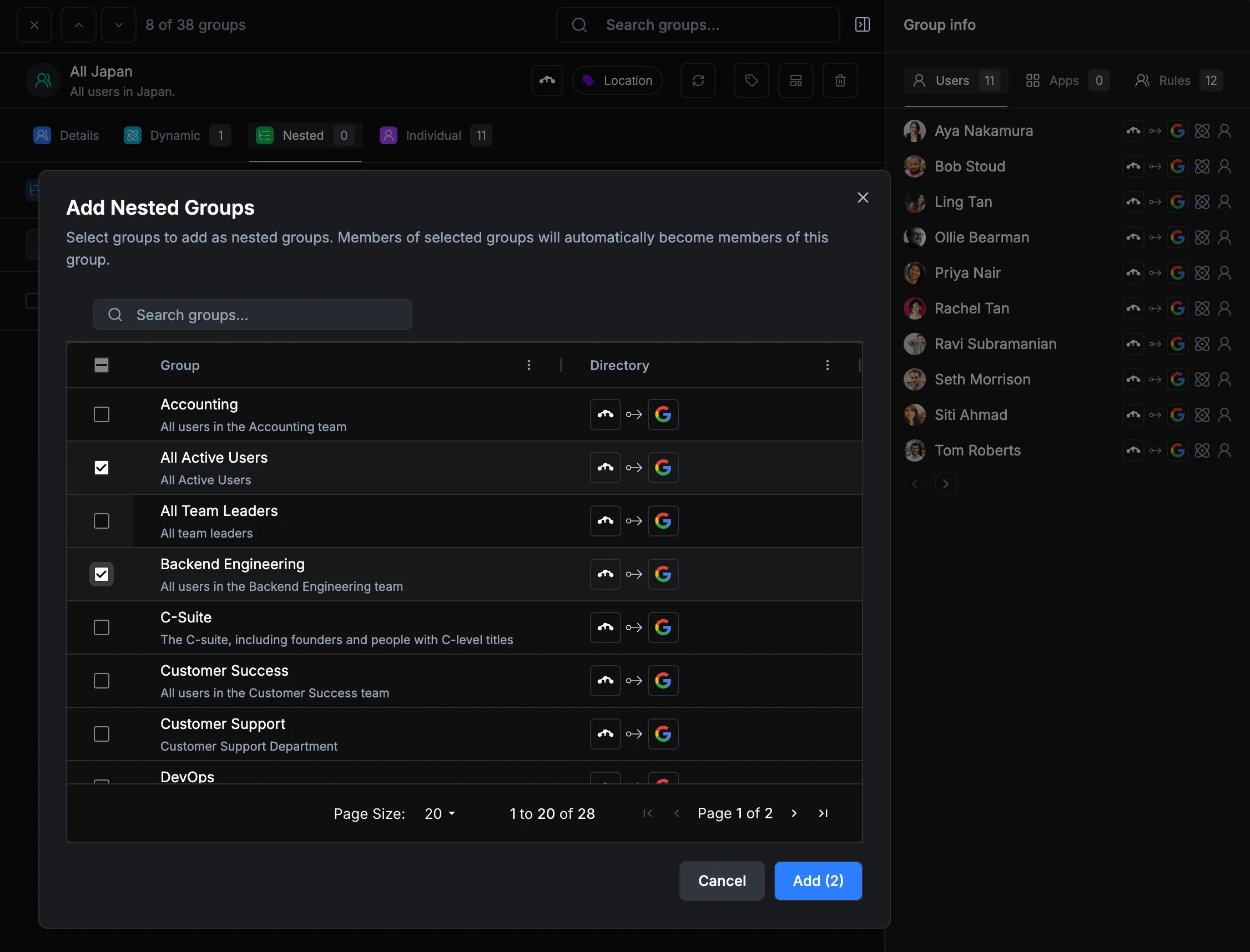
All nested groups and individual users now live in clean, sortable tables with search and filtering built in. You can select multiple members and remove them in one action instead of deleting them one at a time. A new Add modal lets you search for and select multiple users or groups at once, so building up a group is fast even when you’re adding a dozen members.